fotografie - 8.3.2004 - 12.6.2004

Radford photographer to face trial in Jan.

In P960 I had already written something about Bob Shell - represented on some mailing lists on photography topics - being charged with murder. His trial is now likely to take place in January 2005. Here you can find the original article.

Macro Photography Differently

The Ingredients:

  • Canon EOS 10D
  • Canon to Contax MM bayonet adapter
  • Retro adapter for Contax MM bayonet
  • Filter adapter from 52mm to Series VII
  • Filter adapter from Series VII to 67mm
  • Tokina RSX 17mm/3.5 wide-angle lens
  • a Manfrotto 352RC ball head
  • a Manfrotto 055SB tripod
  • the camera's self-timer

111-100-100.jpeg

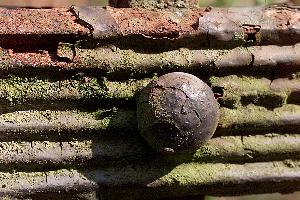
The image field is then approximately 6 x 4 millimeters. In the image, a spine attachment of a cactus. And you can also photograph a cactus mite with it. The main problem is focusing: since I don't have a focusing rail, the cactus and equipment had to be moved. Image field selection via the ball head, rough focusing also via the ball head, fine focusing by carefully moving the subject. That's why the cactus mite isn't perfectly sharp either - for that you really do need the focusing rail.

microlen.htm - Discussions about macro photography lenses

Natural History with the Microscope as a Hobby - All about microscopy and microphotography

Depth of field, magnification and close-up lens calculator - Calculation of depth of field and magnification ratios

Flower Pictures

With the corn poppy, I always imagine it whispering with the wild rose...

105-100-100.jpeg

106-100-100.jpeg

107-100-100.jpeg

Canon EOS 300D Digital Rebel Tips and Tricks

A page with information about the 300D firmware hack and what it can do, as well as many other tips related to the 300D. What actually surprised me a bit about it is the following small box that was on the page:

FACTOID: Did you know your 10D and 300D run DOS? That's right. Embedded in the camera is DataLight's ROM-DOS. In fact, if you use the right tool such as s10sh you can see that inside the camera is an A: and B: drive. On the A: drive reside command.com and autoexec.bat, and most interestingly, camera.exe. DOS? DOS?? Wow. Somehow a bit scary.

Here's the original article.

Adapters: Olympus E-1

For the Olympus E-1, there is now also a set of adapters for various SLR lenses - so there are now two digital options for classic lenses like the Leica R or Contax MM line. The Olympus version is even more robustly and generously designed than the EOS version, since the Olympus system has a significantly shallower flange focal distance and therefore more space remains for adapters. As a result, the adapter for the Olympus system can remain directly on the camera (with the EOS adapter it's better to keep it on the lens). Particularly interesting for people who are simply looking for a digital option for their lenses and don't want to invest in the Olympus system. Here's the original article.

digitale Fine Art Prints - Barytabzug - Iris Giclee Prints - exposure on baryta paper - unfortunately not really cheap

Schwarzweiss-Magazin Wollstein 6/2003 - Permanence of various photographic techniques

fotoKASTEN - Digital photo development on the Internet

Yet another image printing service with an affiliate program

Gallery :: your photos on your website - Interesting software for photo albums on the web

Photo Organizer - Feature-rich web photo album with a rather stylish default look

Silverlab Partnerprogramm - Photo print service with financial participation of the photographer

Acratech, Inc: Precision Machining & Photographic Equipment - Manufacturer and marketer of the Ultimate Ballhead

KODAK PROFESSIONAL READYLOAD Single Sheet Packs and Holder - 4x5 inch single sheet film cartridge system for easy sheet film use

Camera Memory Card for 12500 Euros

I find the price then - given the fact that a 1 GB microdrive can be obtained for a maximum of 150 euros, which for 12 GB would only be 1500 euros - a little bit overpriced

Teufelsgrinsen

At heise online news you can find the original article.

Old Henrichenburg Ship Lift

Today we visited the Henrichenburg ship lift in Waltrop, near Datteln. It's only about an hour's drive from Münster - and it's absolutely worth it! For one thing, of course, there's the old ship lift from 1899. Then there are all the outdoor facilities - at the upper water level there are complete canal port facilities. And finally, there's also the museum in the boiler house, which houses a complete steam engine that still functions. In addition, there's plenty more to see all around: the motor boat harbors, the old lock system from the same time as the ship lift, and of course the new ship lift as well. All of it can be visited as part of the Westphalian Industrial Museum. However, you should bring more time than we had - you can easily spend an afternoon there seeing everything.

91-100-100.jpeg

92-100-100.jpeg

93-100-100.jpeg

94-100-100.jpeg

95-100-100.jpeg

96-100-100.jpeg

97-100-100.jpeg

98-100-100.jpeg

100-100-100.jpeg

101-100-100.jpeg

102-100-100.jpeg

103-100-100.jpeg

Here's the original article.

Just a few pictures again

And once again a few impressions from walks. There's not much action on this vacation

88-100-100.jpeg

89-100-100.jpeg

90-100-100.jpeg

digitalkamera.de: DxO Optics Pro image correction software now available

Sure. The software is aimed at professionals, which is why it doesn't support compact cameras with fixed lenses. But because it's so professional, it only supports JPG, not RAW images. However, the price is very professional indeed.

Sorry, but you can do the same thing with some Photoshop actions, and many of these actions can be found online and purchased for little money (or created yourself). Prices of 100 dollars for a lens module are certainly not justified.

Here's the original article.

Noise Ninja 2.0 Beta - Noise reduction for digital images - now also for OS X

Eurocity City Festival in Münster

A few impressions from the city festival. Not much - I wasn't really in the mood for more pictures.

85-100-100.jpeg

86-100-100.jpeg

87-100-100.jpeg

Canon Releases EOS Viewer Utility

Every user of a Canon digital camera that produces RAW images should get this update and install it as soon as possible. The EOS Viewer Utility is much more pleasant to use and it is significantly faster. All information is displayed well integrated - the only annoyance is the file tree that is still laid out far too thick, which never fits into the small area if you've created larger directory depths. But you can now hide it by pressing a key.

It's also annoying that you still can't open the EOS Viewer Utility with a start file under OS X - even with the new utility, only the folder of the image is opened as an overview, not the specified image directly. For integration with iView Media Pro, that's not exactly optimal.

Otherwise, it's definitely generations ahead and better than the old File Viewer Utility.

By the way: contrary to its designation as an English version, the updater also contains a German translation - at least under OS X.

At PhotographyBLOG you'll find the original article.

Image Supply

The advantage of vacation: you finally get to do photography again. The disadvantage: you have to come up with titles and descriptions for all the pictures ...

79-100-100.jpeg

80-100-100.jpeg

81-100-100.jpeg

82-100-100.jpeg

83-100-100.jpeg

84-100-100.jpeg

Rob Galbraith DPI: Digital Photo Professional, EOS Viewer Utility coming May 20

Well, it's about time that Canon cleaned up their outdated RAW utilities. The previous ones (File Viewer Utility and Image Browser) are terribly slow and rather mediocre in terms of usability. Hopefully the release of the new tools with 10D support will come fairly soon, and hopefully Canon won't forget the OS X platform again...

Here's the original article.

Photographic Solutions, Inc. - New Products - Manufacturer of chip cleaning tools for digital cameras

Just posted! Leica Digilux 2 review

Everything you never wanted to know about the Leica Digilux 2 but are now being told anyway

By the way: the excessiveness with which Digital Photography Review tests and describes equipment is fascinating. For many consumer cameras, the DPreview test can easily serve as a manual...

At Digital Photography Review (dpreview.com) you can find the original article.

Art of B/W #005 @Digital Outback Photo

An interesting article about B&W conversion. Here, multiple layers are used to create the B&W image, with the normal color image retained in the base layer. All conversion components are designed as separate layers and can therefore be adjusted at any time later. Certainly a quite interesting technique, especially since you don't need any additional plugins.

Here's the original article.

Hybrid RAW Conversion

An interesting approach: take linear RAW images and create a black and white image from them, using it to gather detail and brightness information and, for example, determine sharpness. Then create a second image that adopts the color values - in this image, for example, apply noise reduction and similar mechanisms. After that, combine these two images - take the brightness (and thus the contrasts) from the black and white image and merge the color values from the black and white image. As a result, you get an image with good sharpness and good color, but fewer artifacts from the respective optimization steps (since each optimization is only applied to the elements that can handle these optimization steps without creating problems).

Here is the original article.

Bibble Labs - Professional Photo-Manipulation Software - RAW picture software for Mac and Windows

Today the Digi was cooperative for once

And that's why there are a number of new images in the image blog. And since I've already thoroughly overwhelmed my creative abilities with the invention of titles and descriptions, here's just an overview of the images. All the images were created when I went to buy cake today. An extremely satisfying result - nice images and cake

63-100-100.jpeg

64-100-100.jpeg

65-100-100.jpeg

66-100-100.jpeg

67-100-100.jpeg

68-100-100.jpeg

69-100-100.jpeg

70-100-100.jpeg

71-100-100.jpeg

72-100-100.jpeg

73-100-100.jpeg

Nikon Coolwalker MSV-01 Digital Photo Storage Viewer First Look

Interesting device: There are plenty of mass storage devices for images, some also with display of stored images. But this one is special because it can also display the Nikon NEF format - i.e. the RAW images from Nikons.

Here is the original article.

News from the Devil's Digi

My digital camera wants to annoy me. Now it's running again - first it wasn't responding anymore (P2160), now it worked right away. Apparently it worked so hard during its last use that it needed a week's vacation first. Strange. Maybe that was just a fear reaction that it's now working - where I threatened to buy a new one ...

CD-RW better for archiving than CD-R?

Just one paragraph in the text, but the hint sounds interesting: CD-RWs don't use color particles that get hit by the laser and can fade later — instead they use metallic elements that reflect light differently. These elements may not be as susceptible to environmental parameters as the color particles in CD-Rs. Something similar seems to be the case with DVDs. So it could make sense to archive on RW media. Here's more information. Here's the original article.

My Digital SLR is probably dead now

As I wrote in P2139, my digital SLR (a Kodak DCS 520) was acting up. Today the digital camera part won't turn on at all - the analog part, which is an EOS 1N, works perfectly. Only the digital component supplied by Kodak refuses to respond. Shit. And I've only had the camera since January - but purchased it privately. Now I'm wondering whether I'd be satisfied with a 10D or possibly even a 300D - both are significantly slower than my DCS 520. Ok, the resolution is higher, the images larger, but I don't really need that necessarily. With the DCS 520 I was already able to print images at 20x30 cm even though it only delivered 2 megapixels. Has anyone else previously owned a fast digital SLR and switched to one of these slower Canons? Or does someone have a pro SLR for work and a consumer SLR for private use and can say something about how they subjectively compare? So it's not about the specs on paper, but about the subjective frustration that could arise from possibly slower response times. An EOS is important because only with those do I have the chance to continue using my Zeiss lenses with an adapter. Besides, I already have a quite nice lens for Canon - the 2.5/50 macro. Otherwise the Nikon D70 would be significantly more interesting from a specs standpoint, since it's considerably faster.

Somehow digital is annoying. Analog is much more reliable and the selection isn't fraught with nearly as many compromises. But unfortunately you don't get the image right away, which you sometimes would like to have...

Update: after some calculations and considerations I've added the D70 back to my selection. The speed and some missing features of the 300D make the D70 significantly more attractive - after all, you can get it together with the 60mm Micro Nikkor for the price of the 10D body, with sometimes significantly better performance. Which of course doesn't really make the choice any easier...


Experiences with the Krasnogorsk FT-2 Panoramic Camera

A website about the predecessors of the Horizon Panorama cameras. Worth reading alone for the factory name - Krasnogorsky Mekhanichesky Zavod - Jaroslav Poncar has posted pictures taken with the camera online.

Here you can find the original article.

My Digital SLR is Sick

My Kodak DCS 520 is sick. It keeps crashing - loses the time setting and locks up. The lockup resolves when I turn off the camera and then wait 1 minute until the camera timeout also shuts down the analog part (i.e., the part that is the EOS 1N). Then I can turn it back on, set the time, and continue shooting. Recently, though, I even had constant crashes during a walk with the camera - so far I haven't figured out exactly when it happens. The normal crashes only occur when I change the battery. If anyone else has such a camera and knows these symptoms, please let me know. PPS Hamburg has already threatened me with horrendous repair costs due to a mainboard defect, but maybe someone else knows something more about it.

Fortunately, I still have a purely mechanical Leica M, where the battery is only used for the exposure meter, so it works fine without power too. And it has no mainboard.

A Little Spring

Since posting about spring seems to be all the rage at the moment, here are some pictures from my last extended lunch break ...

57-100-100.jpeg

58-100-100.jpeg

59-100-100.jpeg

60-100-100.jpeg

Overeaten Situation ...

61-300-200.jpeg

Inflexible

62-200-300.jpeg

dp-now.com - News - Epson reveals digital rangefinder secrets

3000 euros - not exactly a bargain. Still, the must-have factor keeps growing

Here you can find the original article.

Leica Digilux 2 Review. Part Two

And the test continues. This time the tester dealt with image quality. It's definitely better than with the Digilux 1. However, I still think that a camera that wants to be a Leica should be less noisy at higher ISO settings. After all, available light is one of the main application areas for Leica equipment. The troubling part is especially that the Digilux 2 delivers significantly worse results in JPG than in RAW, but in RAW it no longer has an image buffer ...

Here's the original article.

Epson R-D1 Digital Rangefinder Camera

Wow!

surprised face

If Epson manages to bring this to market at the right time and at an acceptable price, then Leica will have a hard time with the Digital-M. All that's missing now is some output from the device to judge the image quality. If they really do use the chip that's also in the Nikons, then the whole thing could be really interesting.

Hopefully sample images and pricing will come soon.

At Digital Photography Review (dpreview.com) you can find the original article.

Digilux 2 Review - Part 1

First part of a planned three-part series on the Leica Digilux 2. What's interesting is the good rating of image quality when using RAW. This was one of the main criticisms of the Digilux 1.

What strikes me as negative from the first impression, of course, is again the electronic viewfinder and especially the lack of write buffer for RAW images, so that even with a fast card you have to wait 6 seconds between two shots. In my opinion, this is no longer up to date; many cameras have reasonably sized write buffers for RAW as well. However, even more compact digital cameras don't have a RAW mode at all...

All in all, the first impression sounds quite positive.

Here's the original article.